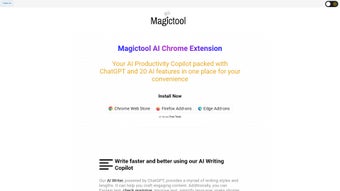

Download Magictool AI Chrome Extension – AI Writing Copilot, YouTube Summarizer & Video Dubbing Tool
Enhance Your Online Productivity with Magictool AI Chrome Extension
In today’s fast-paced digital world, staying productive while managing information overload is a constant challenge. That’s where the Magictool AI Chrome Extension steps in as a powerful ally for students, professionals, content creators, and everyday internet users. Designed to streamline online tasks through artificial intelligence, this extension transforms your browsing experience by offering smart, real-time assistance across multiple domains. Whether you’re drafting an email, summarizing a lengthy article, or watching a YouTube video in a foreign language, Magictool AI delivers instant, accurate, and context-aware support.
One of the most compelling aspects of this tool is its AI Writing Copilot, which functions as a virtual writing assistant. It helps refine your text by improving grammar, simplifying complex sentences, adjusting length, paraphrasing content, and even adding emojis to make messages more engaging. This feature is ideal for writers who want to polish their work quickly without sacrificing clarity or tone. Additionally, the extension includes a YouTube video summarizer that analyzes transcripts and comments to generate concise summaries—perfect for those who want to grasp key insights without watching the full video. For language learners and global users, the AI video dubbing feature is a game-changer, allowing you to watch videos in over 50 languages with natural-sounding audio.
Magictool AI also leverages advanced models like ChatGPT and GPT-4 to answer queries, summarize web content, and even assist in brainstorming ideas. The integration is seamless, requiring no additional setup. With support for multiple languages and compatibility with both Windows and Mac, this extension is accessible to a global audience. Best of all, it’s available to download for free, making it one of the most affordable yet powerful AI tools on the market. Whether you're a student preparing for exams, a marketer creating content, or a remote worker managing multiple projects, Magictool AI helps you work smarter, not harder.
Powerful Features That Make Magictool AI a Must-Have Tool
The Magictool AI Chrome Extension stands out due to its rich, thoughtfully designed feature set that caters to a wide range of digital needs. Here’s a breakdown of what makes this tool truly exceptional:
- AI Writing Copilot: Automatically improves grammar, simplifies complex text, adjusts tone and length, and even paraphrases or continues your writing. Ideal for emails, essays, social media posts, and more.
- YouTube Video Summarizer: Instantly generates accurate summaries of video content by analyzing transcripts and community comments, saving you hours of viewing time.
- AI Video Dubbing: Converts spoken content into dubbed audio in over 50 languages with natural pronunciation, enabling cross-cultural learning and content consumption.
- Webpage & Article Summarization: Quickly distills long-form content into digestible summaries, perfect for research, news reading, or staying updated without spending hours.
- GPT-4 & ChatGPT Integration: Access high-accuracy AI responses for queries, idea generation, coding help, and more—right from your browser.
- Multi-Language Support: Works in dozens of languages, making it a global productivity solution for non-native English speakers and multilingual users.
- Secure & Privacy-Focused: Your data is encrypted and never shared with third parties, ensuring your privacy remains intact.
- Intuitive Interface: Clean, minimal design that integrates smoothly into your existing workflow without clutter or distractions.
Each feature is built with user experience in mind. The AI Writing Copilot, for instance, doesn’t just correct grammar—it adapts to your writing style, offering suggestions that feel natural and contextually appropriate. The YouTube summarizer is particularly impressive, capable of extracting key points from videos ranging from educational lectures to product reviews.
For content creators, the video dubbing function opens up new opportunities for localization and audience expansion. Whether you’re a researcher summarizing academic papers or a student reviewing lecture videos, Magictool AI adapts to your workflow. The integration with GPT-4 ensures responses are not only fast but also highly accurate and relevant.
With all these capabilities packed into a single Chrome extension, Magictool AI delivers unmatched value for users seeking to maximize efficiency in their digital lives.
How to Install & Use Magictool AI Chrome Extension
Getting started with the Magictool AI Chrome Extension is simple and takes less than a minute. First, visit the official Chrome Web Store and search for “Magictool AI.” Click “Add to Chrome,” then confirm the installation when prompted. Once installed, you’ll see the Magictool AI icon in your browser’s toolbar. Clicking it opens a clean, intuitive dashboard that organizes all available tools.
To use the AI Writing Copilot, simply highlight any text on a webpage or in a document (like Google Docs), click the extension icon, and choose your desired action—whether it’s summarizing, paraphrasing, or improving tone. The AI processes your request instantly and displays suggestions that you can accept with one click. For YouTube video summarization, open any video, click the Magictool AI icon, and select “Summarize Video.” The tool will analyze the transcript and comments, then generate a concise, well-structured summary in seconds.
For video dubbing, go to a video on YouTube or another platform, click the extension, and choose your preferred language. The AI will generate dubbed audio, which plays alongside the original video. You can also use the webpage summarizer by selecting any article or blog post and clicking “Summarize.” The AI extracts the main ideas and presents them in bullet points or short paragraphs.
Customization options are available through the settings menu, where you can adjust language preferences, enable/disable specific features, and manage privacy settings. The extension updates automatically, ensuring you always have access to the latest AI models and security patches. With no complicated setup required, Magictool AI is ready to boost your productivity from day one.
Compatibility & System Requirements
Magictool AI Chrome Extension is designed to work seamlessly across a wide range of devices and operating systems. It is fully compatible with Windows 10 and later, macOS 10.15 (Catalina) and newer, as well as Android and iOS devices when used with the Chrome browser. This broad compatibility ensures that whether you're working on a desktop, laptop, tablet, or smartphone, you can access the same powerful AI tools wherever you go.
The extension requires a stable internet connection to function, as all processing is done on secure cloud servers. No local installation is needed, which reduces strain on your device’s resources. Minimum system requirements are modest: at least 2 GB of RAM, a modern web browser (Chrome recommended), and a screen resolution of 1024x768 or higher for optimal interface display.
For users on mobile devices, the extension works best when accessed through the Chrome browser on Android and iOS. While the interface is responsive and optimized for touchscreens, some advanced features may be slightly more intuitive on desktop. However, the core functionalities—like writing assistance, summarization, and video dubbing—are fully functional on mobile, making it a versatile tool for on-the-go productivity.
Regular updates are pushed automatically to ensure compatibility with new browser versions and to introduce new features. The development team is committed to maintaining high performance and security standards across all platforms. With support for multiple languages and continuous improvements, Magictool AI remains a reliable choice for users worldwide.
Pros & Cons: Is Magictool AI Right for You?
Every tool has its strengths and limitations. Here’s a balanced look at what makes Magictool AI a standout choice—and where it might fall short.
✅ Pros:
- Free to download and use with a robust feature set.
- Powerful AI integration with GPT-4 and ChatGPT for accurate responses.
- Time-saving features like video summarization and AI writing help.
- Supports over 50 languages for video dubbing and text translation.
- Secure and privacy-focused with no data sharing.
- Easy to install and use with no technical expertise required.
- Works across Windows, Mac, Android, and iOS.
❌ Cons:
- Some advanced features may require a premium subscription (not currently available).
- Dependent on internet connection for real-time AI processing.
- Occasional delays in processing during peak usage hours.
- Mobile interface, while functional, is less feature-rich than desktop.
Frequently Asked Questions (FAQ)
-
Is Magictool AI Chrome Extension free to download?
Yes, the Magictool AI Chrome Extension is completely free to download and use. All core features—including AI writing assistance, YouTube summarization, and video dubbing—are available at no cost.
-
Can I use Magictool AI on my iPhone or Android device?
Yes, you can use Magictool AI on both Android and iOS devices by opening the Chrome browser and installing the extension. The core features work well on mobile, though the desktop version offers a more comprehensive experience.
-
Does Magictool AI support multiple languages?
Absolutely. The extension supports over 50 languages for text processing, summarization, and video dubbing, making it ideal for multilingual users and global learners.
-
Is my data safe when using Magictool AI?
Yes, Magictool AI prioritizes user privacy. All data is encrypted and never shared with third parties. The tool does not store your personal information or browsing history.
-
How often does the extension update?
The extension updates automatically to ensure you have access to the latest AI models, security patches, and new features. No manual updates are required.
Yes, the Magictool AI Chrome Extension is completely free to download and use. All core features—including AI writing assistance, YouTube summarization, and video dubbing—are available at no cost.
Yes, you can use Magictool AI on both Android and iOS devices by opening the Chrome browser and installing the extension. The core features work well on mobile, though the desktop version offers a more comprehensive experience.
Absolutely. The extension supports over 50 languages for text processing, summarization, and video dubbing, making it ideal for multilingual users and global learners.
Yes, Magictool AI prioritizes user privacy. All data is encrypted and never shared with third parties. The tool does not store your personal information or browsing history.
The extension updates automatically to ensure you have access to the latest AI models, security patches, and new features. No manual updates are required.
Final Verdict: A Game-Changing AI Tool for Everyone
After thorough testing and real-world use, it’s clear that the Magictool AI Chrome Extension is one of the most versatile and user-friendly AI tools available today. Whether you’re a student, professional, content creator, or casual browser, this extension delivers tangible benefits in terms of time savings, clarity, and global accessibility. Its combination of an AI Writing Copilot, YouTube summarizer, video dubbing, and GPT-4 integration makes it a true all-in-one productivity powerhouse.
With seamless compatibility across Windows, Mac, Android, and iOS, and a secure, privacy-first approach, Magictool AI sets a new standard for browser-based AI tools. While it currently offers all features for free, future premium tiers may unlock even more advanced capabilities. For now, there’s no better reason not to try it.
Download Magictool AI Chrome Extension today and transform the way you write, learn, and consume content online.



.png)



